Monitoring dashboards are convenient, but convenience is not the same as evidence. This essay argues that for a small static service, the most auditable form of “is the site healthy?” is a set of plain-text facts an operator can read, re-run, and paste into a report — not an aggregated panel.
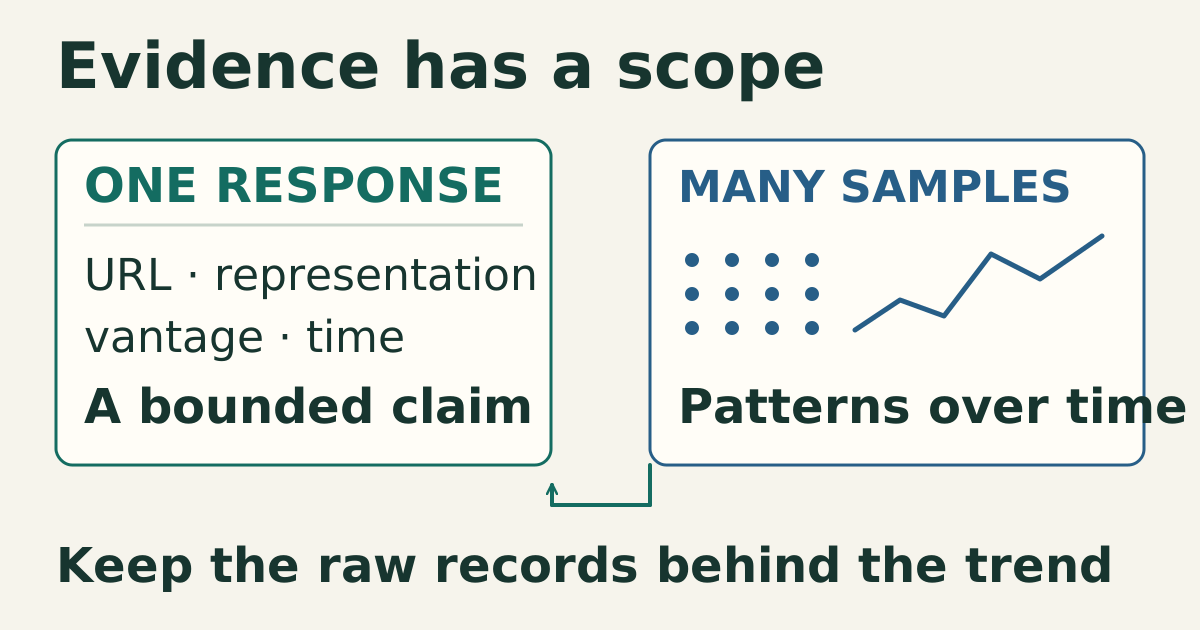
The distinction matters because the two answer different questions. A dashboard is a lens over many samples, tuned to alert you to trends. A probe is a single, reproducible observation of the public edge. When the job is to prove a release or diagnose a specific request, the probe is the higher-fidelity artifact.
The dashboard’s aggregation is the risk
A dashboard turns thousands of raw observations into a series of aggregated panels: average latency, error rate, uptime percentage. Aggregation is where the audit trail thins. An “uptime 99.98%” figure does not tell you which request failed, which header was wrong, or whether today’s release is the one being served. It is a summary that erases the evidence that produced it unless you keep the raw log elsewhere.
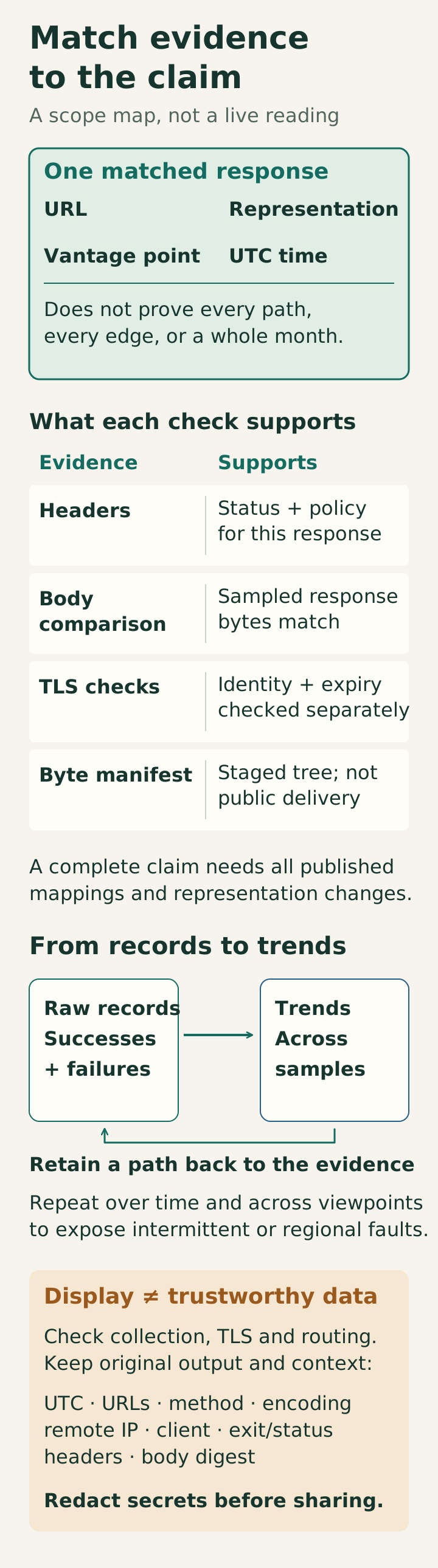
For a confidence property like “the edge serves the tree I staged”, a dashboard is the wrong tool. A response-body comparison can answer that question for one URL, representation, network vantage point, and instant. A homepage header fetch cannot establish the identity of a whole tree or every CDN node.
A probe you can read
The repository ships a small read-only helper, static/downloads/check-http-headers.sh, also published at /downloads/check-http-headers.sh. It prints response headers and the final status/URL. The following is an illustrative excerpt, not a new production measurement:
HTTP/2 200
content-type: text/html; charset=utf-8
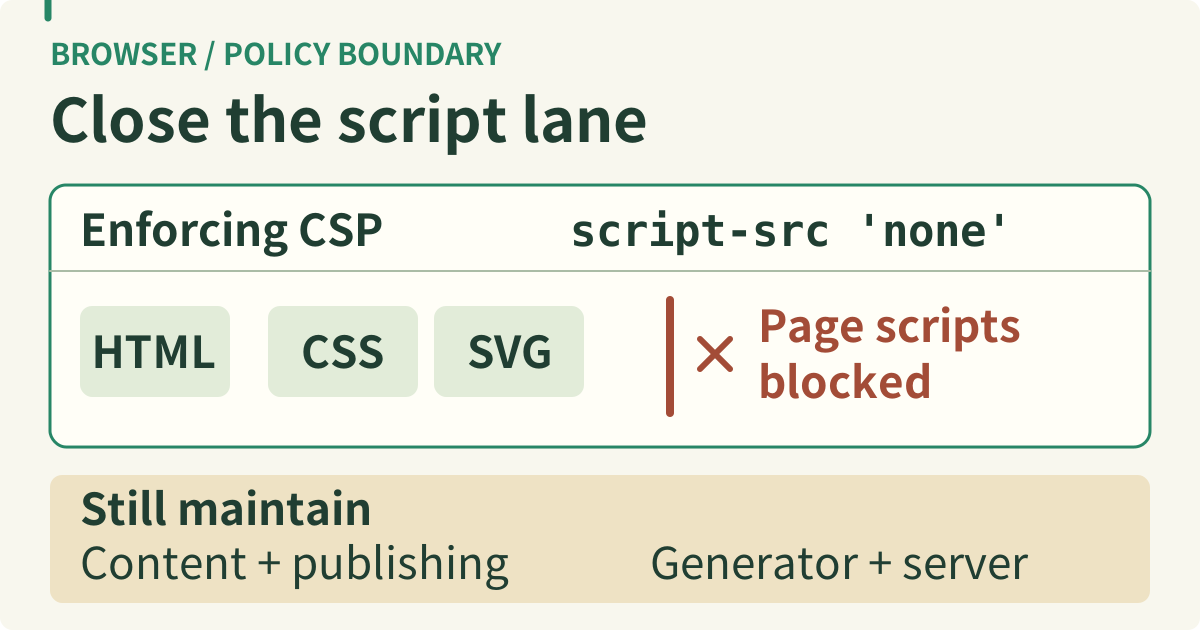
content-security-policy: default-src 'self'; …; script-src 'none'; …
A real capture can directly show the response status, declared media type, and delivered CSP. The abbreviated example above cannot establish a complete no-script policy: inspect the full enforcing header, including any script-src-elem or script-src-attr directives that take precedence for their categories. A Report-Only policy does not block execution. A panel that says “edge OK” should expose the same underlying capture and acceptance criteria. Both still depend on the probe implementation, TLS verification, routing, and retention of the original output. Reading certificate notAfter adds an expiry observation; it does not establish hostname matching or trust-chain validity.
Replace signal loss with a checkable statement
The mechanism the site favors instead of a dashboard is a contract enforced during build and a set of repeatable collection steps for the release window. Roughly:
- Offline checks validate the artifact (every internal link, every SVG, the no-script boundary, the checksums).
- Separate public-edge checks record status/headers, response bytes, and TLS identity/expiry. The header helper does not print certificate dates or automatically reject every unexpected HTTP status.
- A byte manifest describes the staged tree; retrieving selected URLs and comparing their bodies establishes sampled delivery parity. A complete claim requires checking all published mappings and representation transformations, not merely hashing the server disk.
Each of these is a sentence an operator can paste into an issue or a changelog and a future auditor can re-run. None of them requires a panel to be understood.
Keep enough context to repeat the observation
Record UTC time, requested and final URL, method, selected encoding, resolved remote IP, client version, exit status, HTTP status, relevant headers, and body digest. Preserve failures as well as successes. Redact credentials, cookies, and personal data before sharing logs. A proxy error page returning 200 can pass a status-only check; comparing a known body or release marker catches a different failure mode.
A useful release report distinguishes “this response matched at this time” from “the service met its availability objective over a month.” Retain the raw observations behind aggregate metrics, and make a dashboard link back to them where possible. Neither display format creates trustworthy measurements by itself.
When you genuinely need a dashboard
None of this says observability is pointless. If you operate many instances, aggregate capacity, or long trends, a dashboard is the right view to see the forest. The claim is narrower: when the question is “is this one release healthy at the public edge”, a reproducible terminal read is a good starting point. Repeated probes, several vantage points, error budgets, and alerting add evidence about intermittent or regional failures that a single successful request cannot supply. A well-designed dashboard can expose those observations without hiding their provenance.
The decision heuristic is simple. If a claim can be checked with one command, preserve that command’s output together with its scope and acceptance criteria. Use dashboards where aggregation helps, while retaining access to the underlying evidence. That keeps the site’s own operational story as auditable as the site’s content.
Sources
- Curl documentation, reading response headers from a single invocation, checked 2026-10-15.
- Twelve-Factor: Logs, treating logs as event streams an operator can read, checked 2026-10-15.
- OpenTelemetry: Observability primer, the complementary roles of logs, metrics, and traces, checked 2026-10-15.
- W3C: Content Security Policy Level 3, enforcing versus Report-Only delivery and script directive precedence (working draft), checked 2026-10-18.