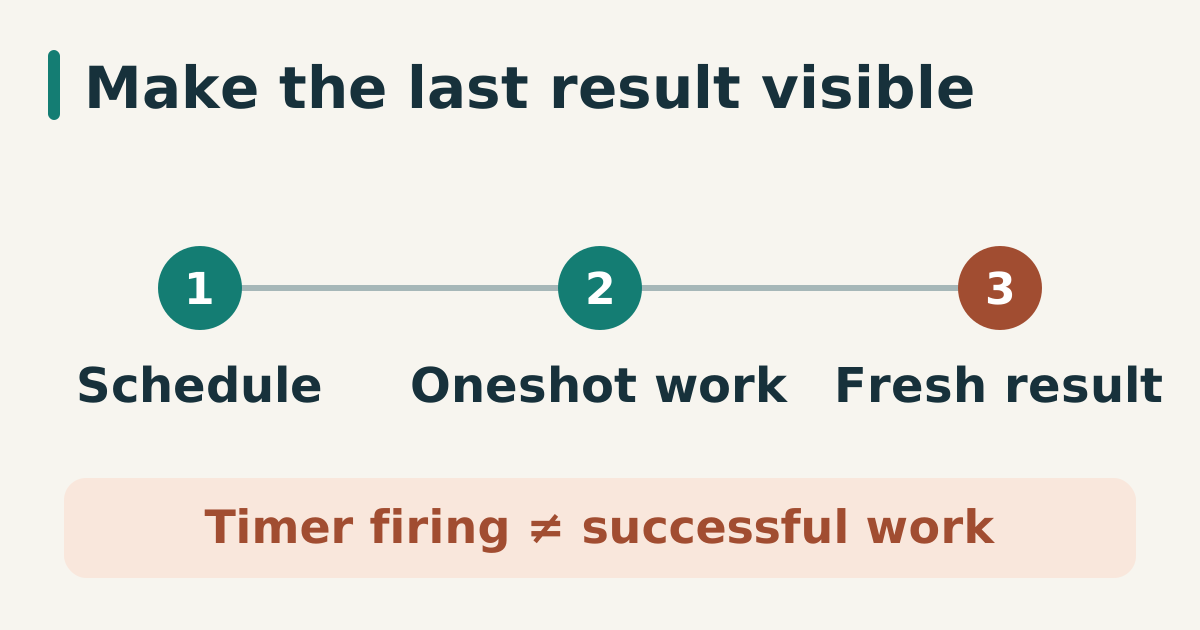
Cron-like syntax is not the whole contract for a maintenance task. The command needs a clear service identity, a bounded runtime, and evidence that distinguishes “not scheduled” from “ran and failed”. A systemd timer and oneshot service keep those concerns separate.
Define the work as a service
Use an explicit user and absolute command path:
# /etc/systemd/system/site-check.service
[Unit]
Description=Read-only public site check

[Service]
Type=oneshot
User=sitecheck
ExecStart=/usr/local/bin/check-public-site
TimeoutStartSec=2min
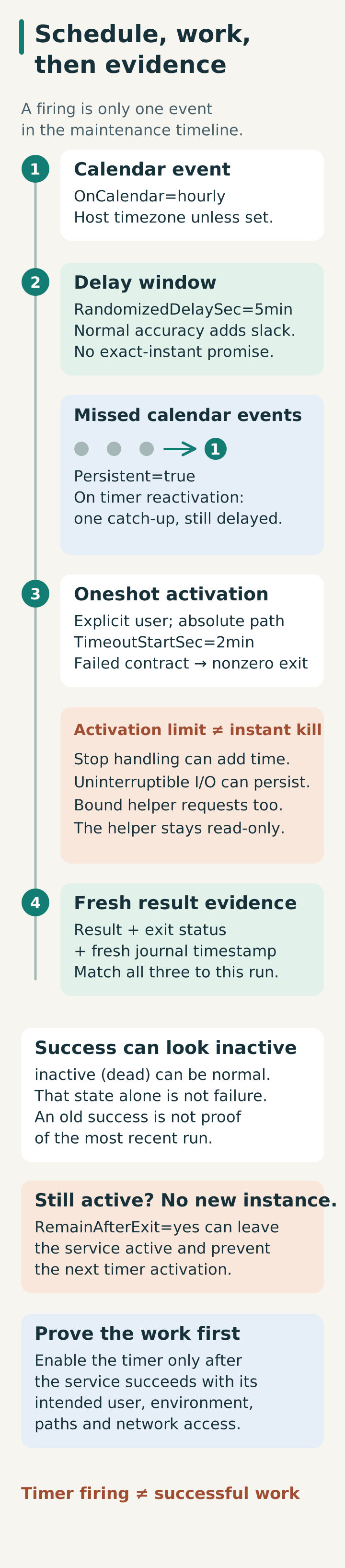
TimeoutStartSec limits the oneshot activation, which includes its command runtime; oneshot services otherwise have no start timeout by default. Timeout handling can then require a stop timeout and cannot instantly end uninterruptible kernel I/O, so the helper also needs bounded network requests. The helper should return non-zero when its contract fails and must not modify the service it checks.
Schedule the service
# /etc/systemd/system/site-check.timer
[Unit]
Description=Run the public site check every hour

[Timer]
OnCalendar=hourly
Persistent=true
RandomizedDelaySec=5min
Unit=site-check.service

[Install]
WantedBy=timers.target
Persistent=true triggers one catch-up activation when the timer is activated after missing at least one calendar event; it does not replay every missed hour. The catch-up is still subject to the randomized delay. RandomizedDelaySec spreads routine work across a window; it is not appropriate when the task must run at an exact instant.
Validate before enabling
After creating both unit files, validate them and reload the manager before starting the service manually. These are administrative operations on the intended test host, not read-only checks:
systemd-analyze verify /etc/systemd/system/site-check.service \
  /etc/systemd/system/site-check.timer
systemd-analyze calendar hourly
systemctl daemon-reload
systemctl start site-check.service
systemctl status site-check.service
journalctl -u site-check.service -n 50 --no-pager
systemctl show site-check.service -p Result -p ExecMainCode -p ExecMainStatus
Enable the timer only after the service succeeds with the intended user, environment, paths, and network access:
systemctl enable --now site-check.timer
systemctl list-timers site-check.timer
Alert on the service result
The timer firing is not success. Monitor the oneshot service’s exit status or journal result. Keep stdout concise and send detailed artifacts to a bounded path if they are needed for debugging.
A successful oneshot normally returns to inactive (dead); that alone is not a failure, and systemctl status can return nonzero for an inactive service. Correlate Result and exit status with a fresh journal timestamp so an old successful run is not mistaken for this one. Do not add RemainAfterExit=yes merely to keep it green: a recurring timer does not start a fresh instance while its service is already active. Calendar timing uses the host timezone unless specified, and normal timer accuracy adds scheduling slack beyond the random delay.
Sources
- systemd.timer(5), calendar timers, persistence, and delay behavior, checked 2026-08-04.
- systemd.time(7), calendar expression syntax, checked 2026-08-04.
- systemd.service, oneshot service semantics, checked 2026-08-04.
- systemd.service upstream manual (v257), Type=exec/oneshot, readiness, activation timeout, and restart semantics, checked 2026-10-15.
- systemd.timer upstream manual (v257), persistence coalesces missed runs; active units, randomized delay, and accuracy, checked 2026-10-15.