“We have backups” is not yet a recovery capability. A useful backup has a known scope, a known freshness, a verification step, and a restore procedure that someone has actually run.
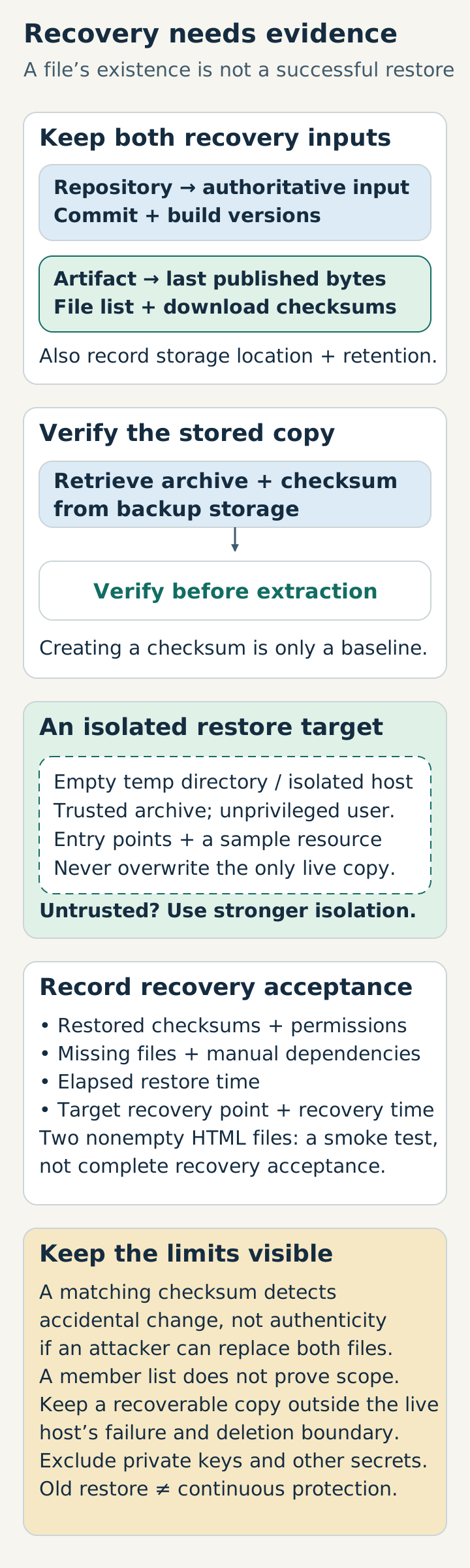
Define the recovery unit
For a static site, the source repository and the generated artifact have different purposes. The repository is the authoritative input; the artifact is the quickest way to restore the last published version. Keep both distinctions clear.
At minimum, record:
- the source commit or archive identifier;
- the generator and theme versions;
- the list of files included in the artifact;
- the checksum of important downloads;
- the retention period and storage location.
Do not include credentials, private keys, cookies, or access tokens in a website backup. Those belong in a separate secret-management process.
Verify before storing
An archive that cannot be opened is not a backup. A minimal verification loop looks like this:
set -eu
tar -czf site-2026-06-03.tar.gz public/
tar -tzf site-2026-06-03.tar.gz >/dev/null
sha256sum site-2026-06-03.tar.gz > site-2026-06-03.tar.gz.sha256
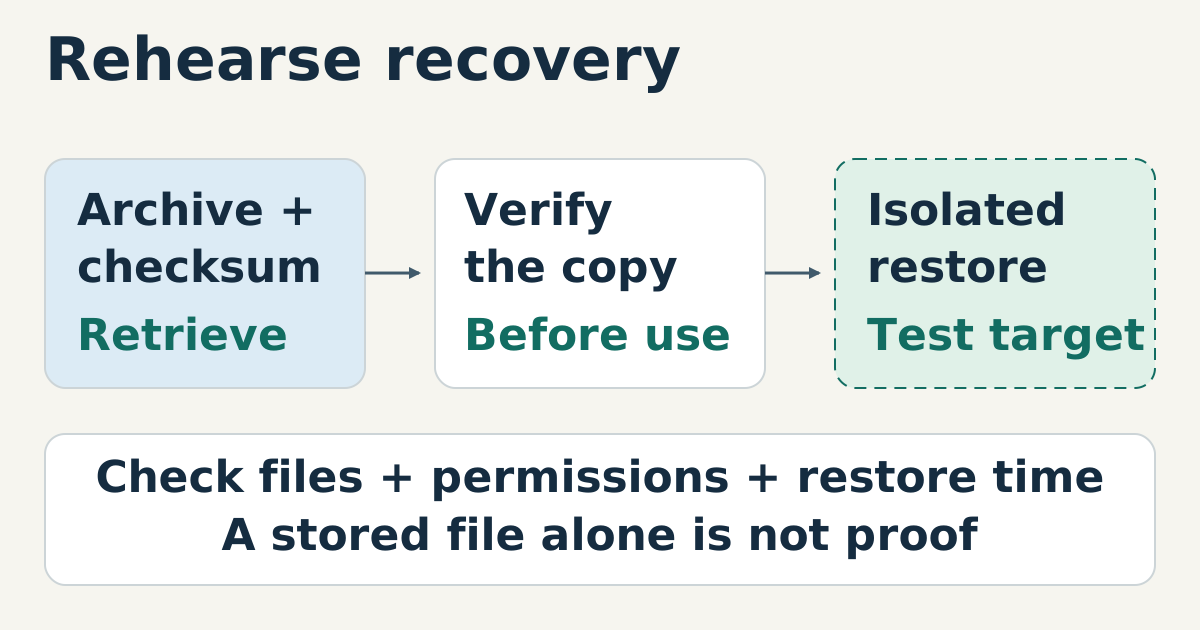
Creating a checksum records a baseline; it does not read back the stored copy. Retrieve the archive and checksum from backup storage, then verify them before extraction. A matching checksum detects accidental change but does not authenticate an archive if an attacker can replace both files. Listing members also does not prove that the right files were backed up.
Restore somewhere disposable
Use a trusted archive, extract as an unprivileged user into an empty temporary directory or isolated host, then check entry points and a representative resource. An untrusted archive needs stronger isolation because paths and links can affect extraction. Do not test by overwriting the only live copy.
set -eu
sha256sum -c site-2026-06-03.tar.gz.sha256
restore_dir=$(mktemp -d)
tar -xzf site-2026-06-03.tar.gz -C "$restore_dir"
test -s "$restore_dir/public/index.html"
test -s "$restore_dir/public/404.html"
The command is intentionally boring. A rehearsal should reveal missing files, wrong permissions, or undocumented dependencies before an incident does.
Measure freshness honestly
A backup schedule is meaningful only relative to the amount of work that can be lost. If the source changes once a month, daily snapshots may be unnecessary. If a resource is updated every hour, a monthly archive is not enough.
Write down the target recovery point and recovery time, then choose storage and checks that can meet those targets. Avoid claiming “continuous protection” when the last verified restore is old.
Keep at least one recoverable copy outside the live host’s failure and deletion boundary. Record the elapsed restore time, restored checksums, permissions, and any manual dependencies; two nonempty HTML files are a smoke test, not a complete recovery acceptance test.
Sources
- GNU tar manual, archive creation and verification behavior, checked 2026-06-03.
- Static-site release checklist, local companion resource.
- GNU Coreutils: SHA-2 utilities, checksum creation and
--checkverification, checked 2026-10-15.