Certification Authority Authorization records let a domain holder state which certificate authorities may issue certificates for the domain. They are useful only when the record matches the real renewal path and the operator understands how policy can be inherited from parent names.
Inspect the current policy
Query the exact hostname and its parent names:
for name in www.example.test example.test test; do
  printf '== %s\n' "$name"
  dig +noall +answer CAA "$name"
done
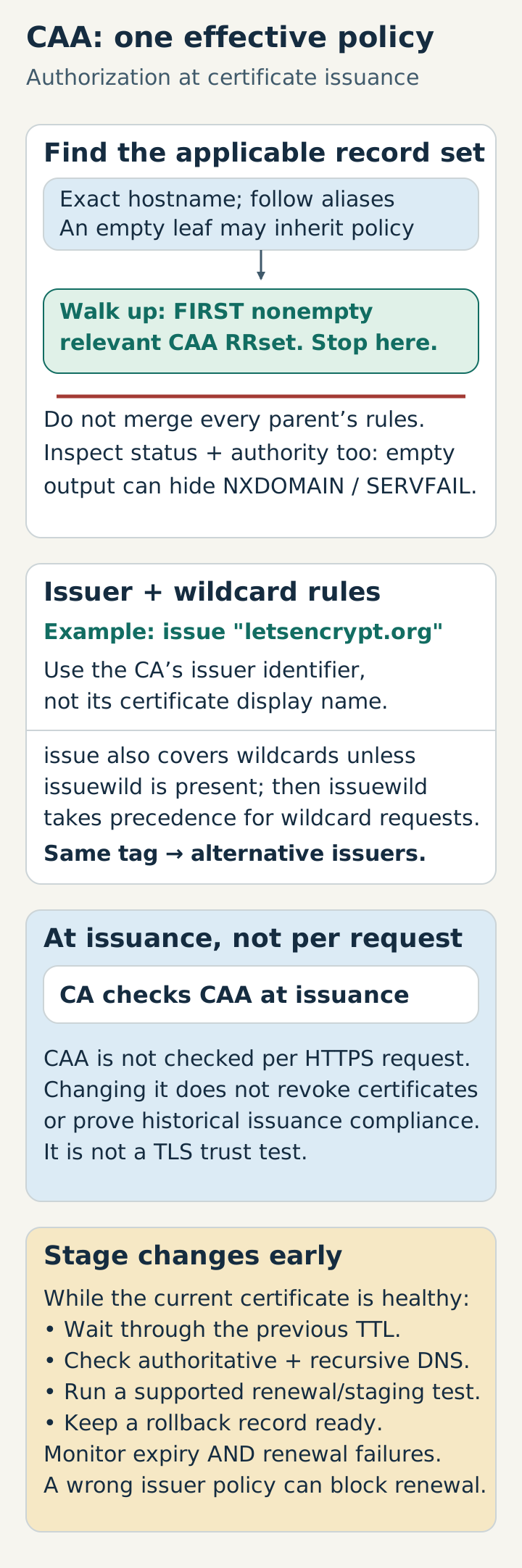
These are placeholder names, queried through the configured resolver. An empty answer at the leaf does not necessarily mean there is no applicable policy: lookup follows aliases and stops at the first nonempty relevant CAA RRset while walking upward. It does not merge every parent’s restrictions. Inspect DNS status and authority information too; an empty answer-only display can hide NXDOMAIN or SERVFAIL. Compare authoritative answers with recursive results when diagnosing changes.
Match the CA’s issuer identifier
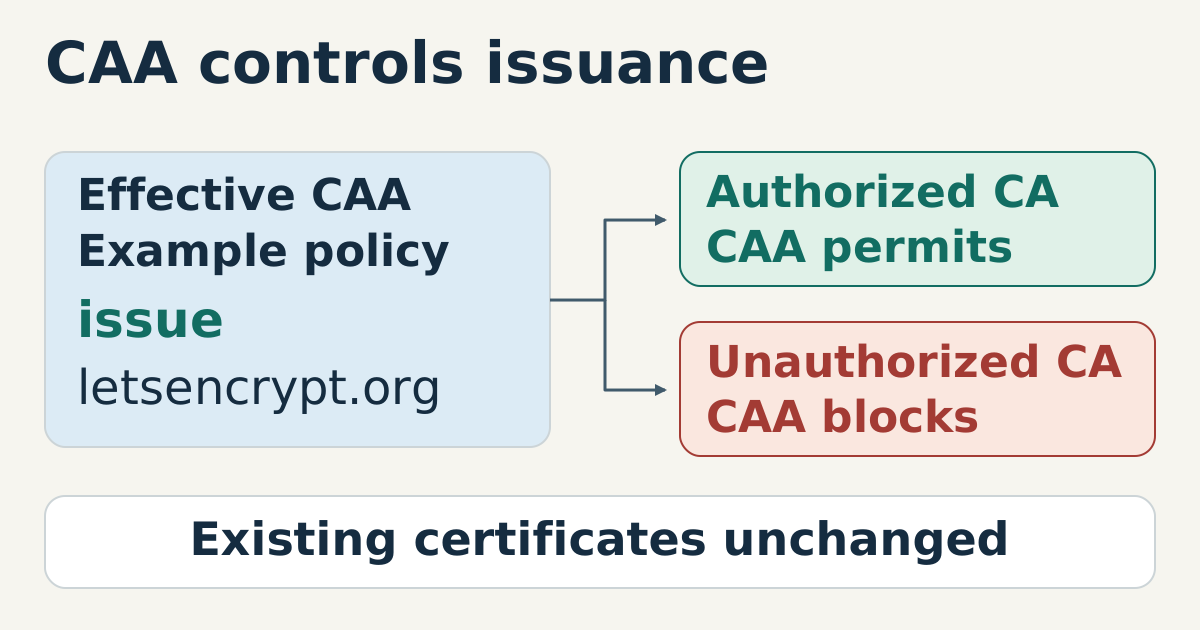
A record uses tags such as issue or issuewild and an issuer-domain value:
example.test. 3600 IN CAA 0 issue "letsencrypt.org"
The value is an authorization identifier, not the display name from a certificate. Confirm it in the certificate authority’s current documentation. Without issuewild, issue also governs wildcard issuance. When issuewild is present, it takes precedence for wildcard requests; multiple records of the same tag grant alternatives rather than requiring every CA. CAA does not select a particular intermediate certificate.
Stage the DNS change before renewal
Add or tighten CAA while the current certificate is healthy. Wait through the previous TTL, query authoritative and recursive answers, and run a staging or renewal test supported by the ACME client. Keep a rollback record ready.
Do not add a restrictive record during an expiry incident unless the issuer path has already been verified. A syntactically correct but wrong policy can turn automatic renewal into a hard failure.
Observe issuance failures
CAA checks happen at issuance time, not on every HTTPS request. Changing CAA neither revokes existing certificates nor proves that a historical issuance complied with the policy at that time. Certificate monitoring must therefore cover both current expiry and renewal attempts. Log the effective DNS answer with the ACME failure instead of recording only a generic authorization error.
Sources
- RFC 8659 — DNS Certification Authority Authorization, CAA lookup and property semantics, checked 2026-10-15.
- Let’s Encrypt: CAA, issuer identifiers and operational guidance, checked 2026-10-15.