Automatic restart is useful for a long-running service, but an unbounded loop can turn a clear failure into a noisy one. The unit should describe both the normal process lifecycle and the amount of recovery that is acceptable.
Track setup failures
For a long-running process, Type=exec makes failures to execute the configured program visible during start-up rather than treating a fork as success. Pair it with an explicit ExecStart and the least-privileged User that can perform the work.
[Unit]
Description=Example foreground site service
StartLimitIntervalSec=60s
StartLimitBurst=5

[Service]
Type=exec
User=site
ExecStart=/srv/site/bin/server
Restart=on-failure
RestartSec=5s
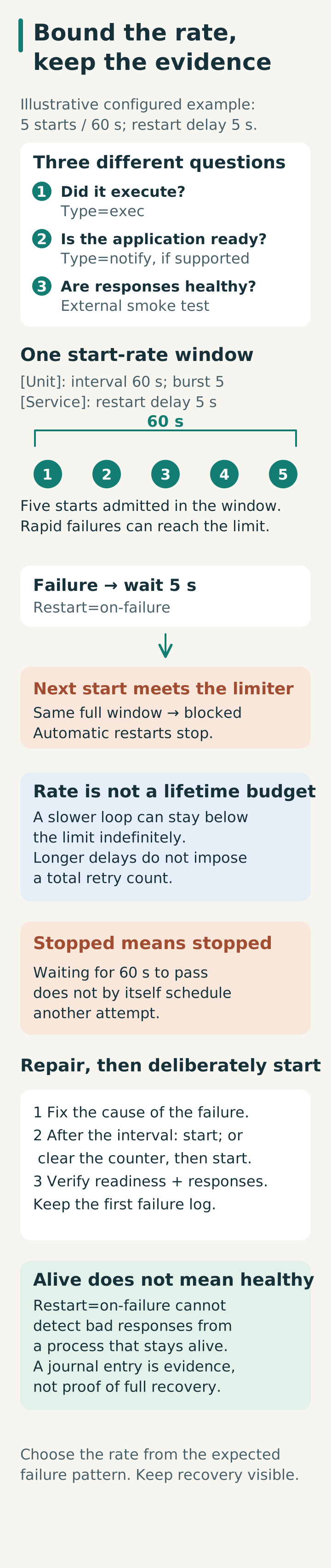
Type=exec confirms execution, not application readiness. Keep the program in the foreground; use Type=notify when the application supports explicit readiness notification. Restart=on-failure is a recovery policy, not a health check. If the process stays alive while serving bad responses, systemd will not know that the site is broken; an external smoke test still has a job.
Bound the loop
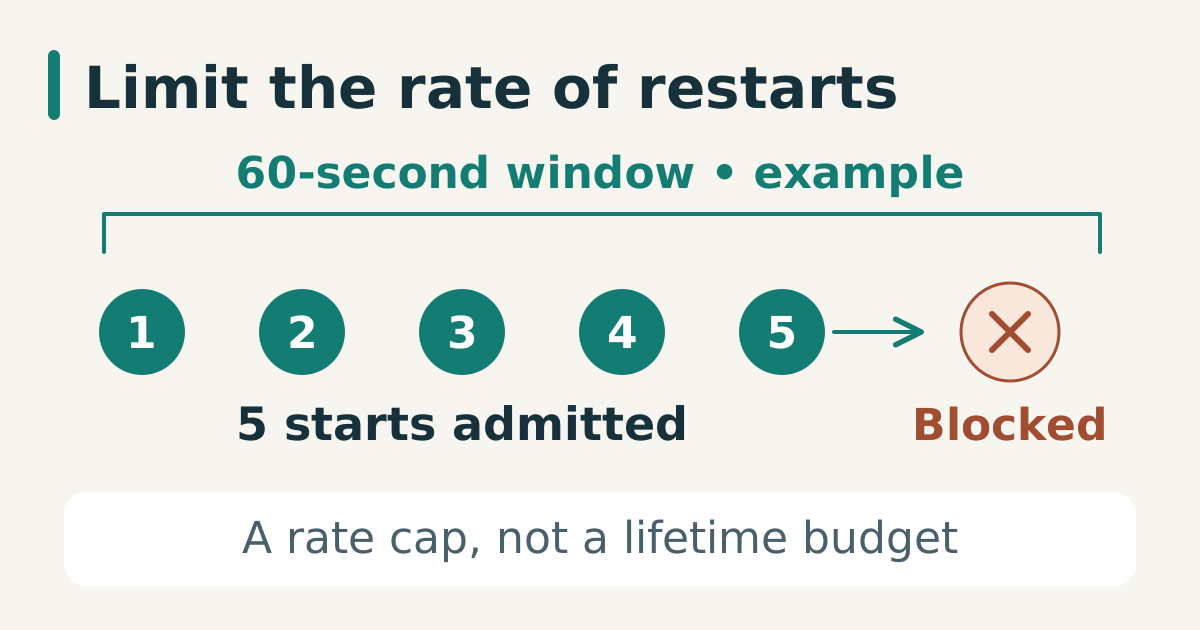
Systemd applies start-rate limiting through StartLimitIntervalSec= and StartLimitBurst=. These directives belong in [Unit], while RestartSec belongs in [Service]. The example allows five starts within 60 seconds; rapid failures separated by five-second restart delays can therefore hit the limit. A longer delay can keep a loop below that rate forever: this is not a lifetime retry budget. Choose limits from the expected failure pattern. When the limit is hit, the journal should contain the evidence needed to distinguish “restarted successfully” from “gave up after repeated failure”.
After installing or editing the unit on an authorized test host, validate the file, reload the manager, and inspect its effective configuration before restarting. The commands below change service state and can interrupt traffic:
systemd-analyze verify /etc/systemd/system/example.service
systemctl daemon-reload
systemctl cat example.service
systemctl show example.service -p Restart -p RestartUSec \
  -p StartLimitIntervalUSec -p StartLimitBurst
systemctl restart example.service
systemctl status --no-pager example.service
journalctl -u example.service -n 80 --no-pager
Do not use a restart policy to conceal missing files, invalid permissions, or a bad environment. Fix the first failure, then test the recovery path.
Once start limiting stops automatic restarts, waiting for the interval alone does not schedule another attempt. After fixing the cause, either start it after the interval or deliberately use systemctl reset-failed example.service to clear the counter before starting. Test missing-executable and rapid-crash cases in an isolated service, and retain the first failure log rather than only the final “start limit hit” message.
Sources
- systemd.service, service type, restart, and start-rate limiter, checked 2026-08-03.
- systemd.unit, common unit sections and drop-in semantics, checked 2026-08-03.
- systemd.service upstream manual (v257), Type=exec/oneshot, readiness, activation timeout, and restart semantics, checked 2026-10-15.
- systemd.unit upstream manual (v257), start-limit section placement, rate window, and reset-failed behavior, checked 2026-10-15.