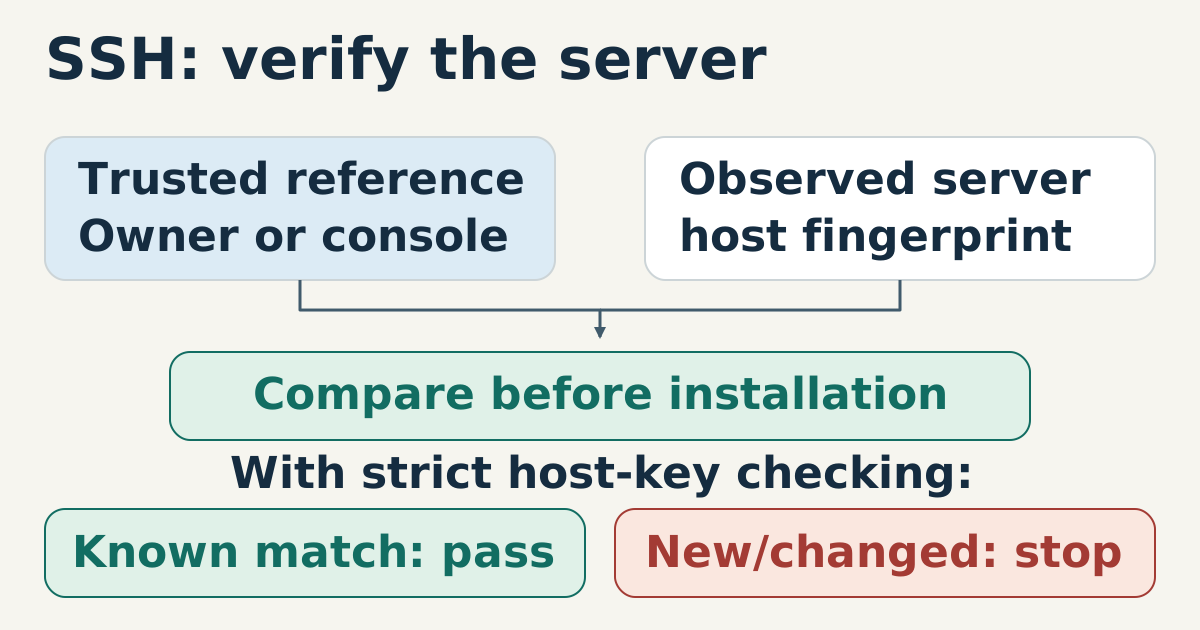
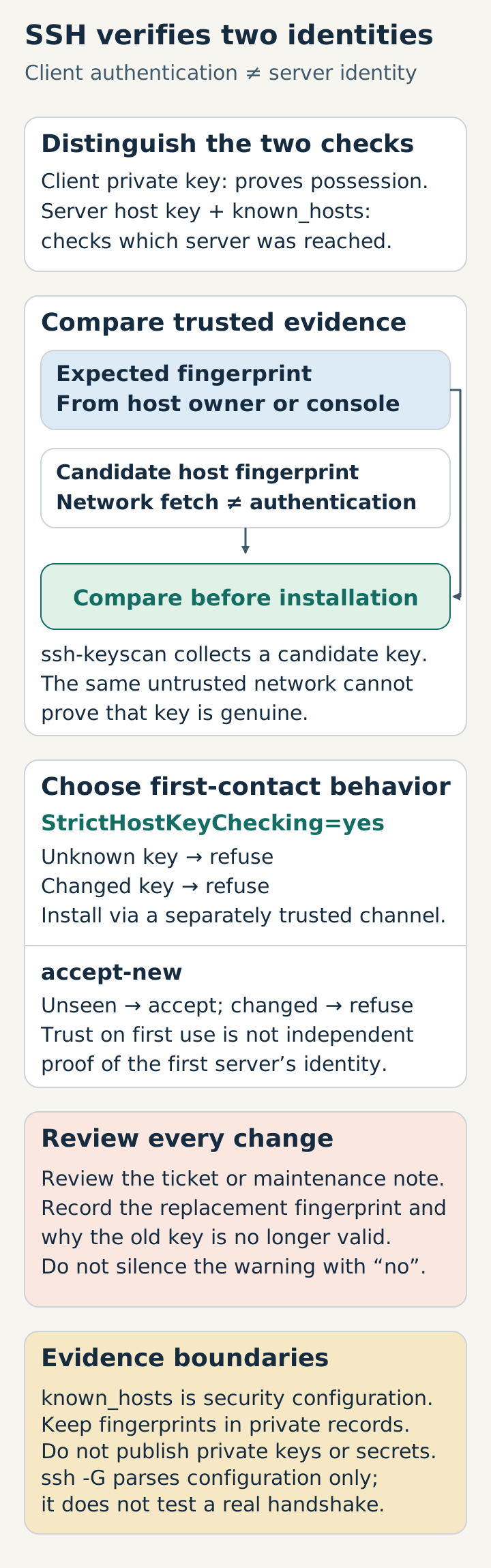
In public-key authentication, a client proves possession of its private key; it does not tell the client which server it reached. The server’s host key and the local known_hosts database provide that second half of the identity check.
Separate first contact from rotation
With StrictHostKeyChecking=yes, SSH refuses unknown hosts and changed keys. That is the safest default for a fixed production endpoint, provided the expected key is installed through a trusted channel. accept-new is a narrower convenience for a fleet where new hosts are expected: it accepts a never-seen key but still refuses a changed key.
Host production-site
    HostName www.example.test
    User deploy
    IdentityFile ~/.ssh/site_ed25519
    StrictHostKeyChecking yes
    UserKnownHostsFile ~/.ssh/known_hosts
Do not “fix” a warning by adding StrictHostKeyChecking=no to a deployment script. It permits connections despite changed host keys, subject to client restrictions; warnings may still be printed, but the intended fail-closed identity check has been weakened. If a host is rebuilt, record the replacement fingerprint and review why the old key is no longer valid.
Make the fingerprint reviewable
Obtain the fingerprint from the host owner or console before the first connection, then compare it with what the client sees. A key change should have a ticket, maintenance note, or other explanation that another operator can inspect.
The same rule applies to automation: the known-hosts file is configuration with security consequences, not disposable cache data. Back it up with the deployment record, but do not publish private keys or copied credentials with the site artifact.
accept-new is trust on first use, not independent proof that the first server was genuine. ssh-keyscan can collect a candidate public key, but fetching it over the same untrusted network does not authenticate it. Compare its fingerprint with the separately trusted value before installing it.
Inspect the effective configuration without connecting, using a standalone copy of the example saved as deploy.conf:
ssh -G -F ./deploy.conf production-site | \
  grep -E '^(hostname|user|stricthostkeychecking|userknownhostsfile) '
Expect the configured host, user, known-hosts path, and strict checking (true or yes, depending on client output). This parses configuration only; it does not test an actual handshake. For a nonstandard port, known-hosts entries normally use [hostname]:port. Keep public-key fingerprints with the private operational release record, not the public website; hostnames can reveal internal topology even though host public keys are not secrets.
Sources
- OpenBSD
ssh_config,StrictHostKeyCheckingandUserKnownHostsFile, checked 2026-07-28. - OpenSSH
ssh-keygenmanual, fingerprint inspection, checked 2026-07-28. - OpenSSH ssh-keyscan, unverified collected keys do not prevent man-in-the-middle attacks, checked 2026-10-15.
- OpenSSH ssh, -G prints evaluated client configuration without opening a session, checked 2026-10-15.