Node affinity matches workload requirements to node labels. It can require NVMe storage or prefer a newer instance family, but it does not replace the scheduler’s other checks. Even without affinity, scheduling filters resource requests, taints and volume constraints before scoring feasible nodes. It is not simply a comparison of idle capacity.
GPU placement illustrates the distinction. A device-plugin GPU resource request accounts for available devices; an accelerator label can select a particular model. Labels alone allocate no GPU, and a toleration alone supplies neither the device nor a placement requirement.
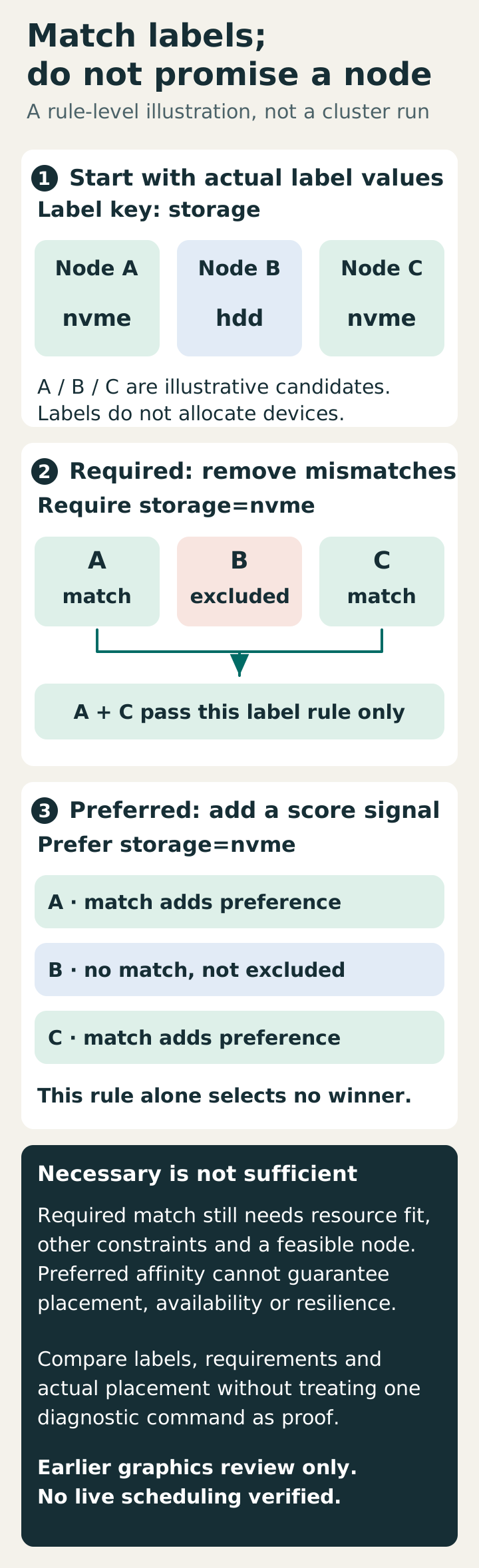
Match nodes by label
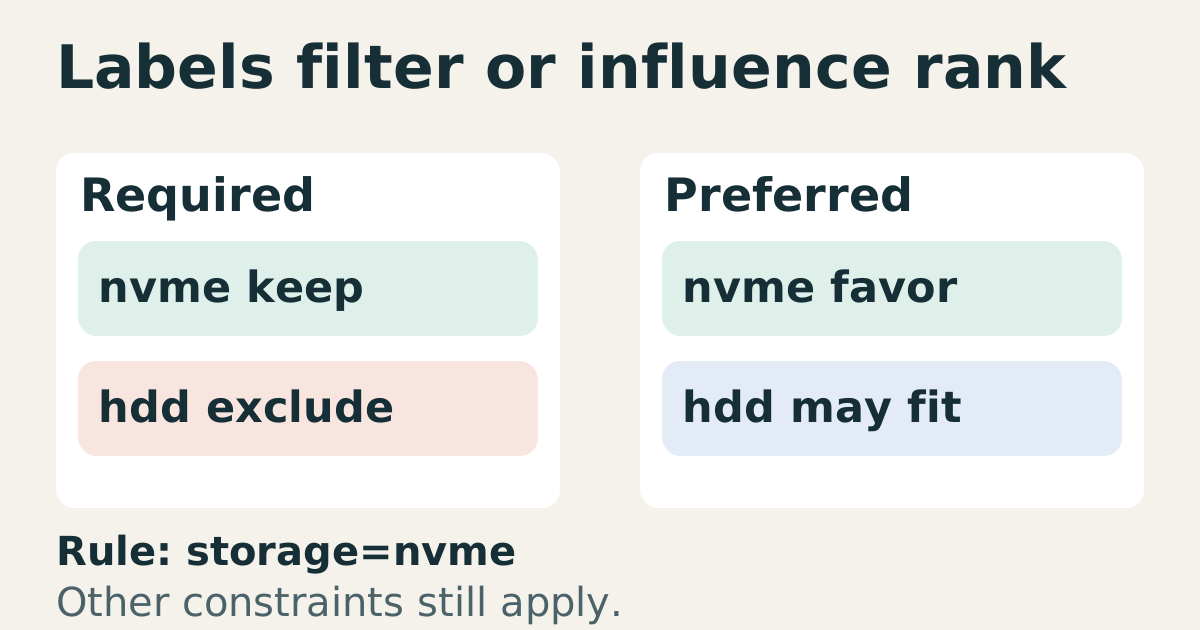
Labels such as accelerator=nvidia-a100 and storage=nvme describe properties that provisioning must establish and maintain. A replacement node does not automatically inherit arbitrary labels from its predecessor. Verify the new hardware before applying the old label; otherwise a formally matching rule can select an unsuitable machine.
Treat the label vocabulary as an API. Renaming a key affects every referring manifest, while stale values can misrepresent hardware. Validate manifests against the intended node inventory, including capacity planned but not yet online. Absence of a label may reflect provisioning or a temporarily missing pool, rather than a typo alone.
For isolation, label integrity matters. Kubernetes 1.34 documents the Node authorizer plus NodeRestriction admission plugin and protected node-restriction.kubernetes.io/ label keys. An ordinary self-reported compliance label is not an independent security boundary. Confirm who can change labels and workload placement requirements.
Prefer or require
requiredDuringSchedulingIgnoredDuringExecution filters out nodes that fail the rule. preferredDuringSchedulingIgnoredDuringExecution adds weighted preferences among feasible nodes; other scores can win. Neither guarantees spare capacity, a healthy application or resilience. A hard requirement may leave a Pod Pending, while a soft one permits a nonmatching node only if all hard constraints pass.
The names also specify when rules apply. A later label change does not evict an already-bound Pod under IgnoredDuringExecution, and changing a preference does not automatically redistribute existing replicas. Inspect new scheduling decisions separately from the current placement inventory.
When both nodeSelector and required node affinity exist, both must match. Alternative nodeSelectorTerms are ORed; matchExpressions inside one term are ANDed. Review that grouping before blaming capacity, because an accidental conjunction can eliminate the entire intended pool.
Anti-affinity splits replicas
Pod anti-affinity matches other Pods within a selected namespace scope and topology domain. kubernetes.io/hostname represents nodes; the standard zone key is topology.kubernetes.io/zone. All relevant nodes need consistent labels. Admission policy can restrict required anti-affinity topology keys, so a zone rule is not universally accepted.
With three mutually selected replicas, required hostname separation and only two otherwise eligible nodes, two replicas may run while the third remains Pending. That is different from preventing the whole workload from running. Preferred anti-affinity can allow co-location and does not promise nearly the same resilience. Choose the rule from the application’s failure tolerance, eligible domains and replacement capacity.
When it breaks
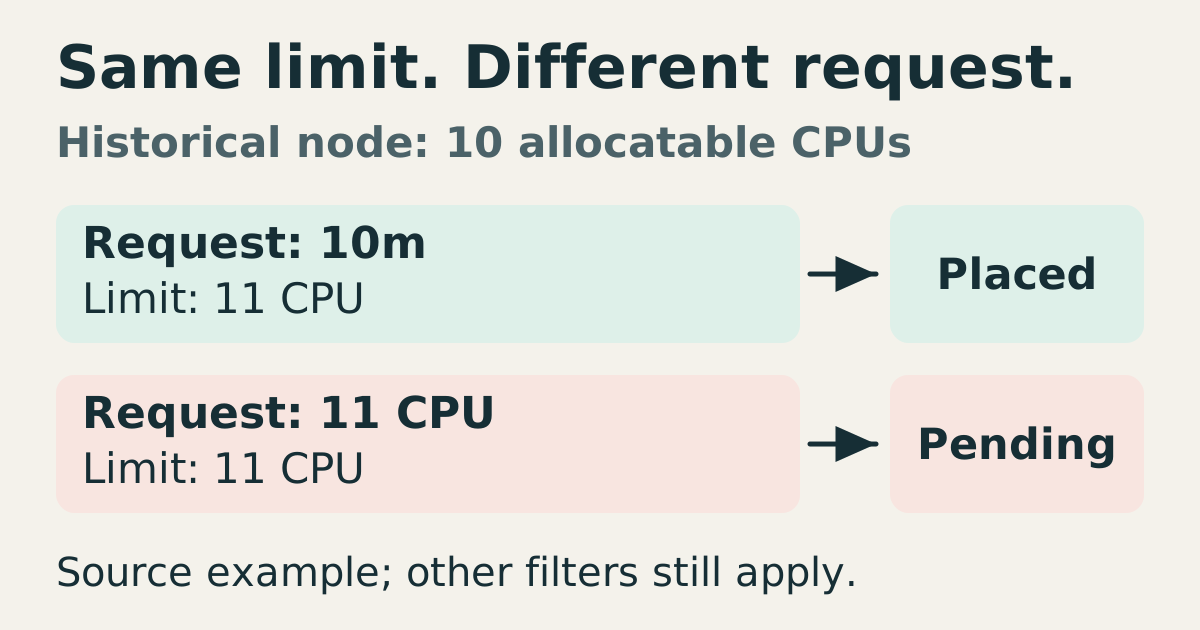
For a Pending Pod, inspect the complete scheduler event and admitted specification. A label mismatch is one possibility; insufficient requested resources, untolerated taints, volume topology or scheduler-profile constraints are others. Low observed CPU use does not establish request headroom. Fix the constraint actually reported rather than immediately weakening affinity.
For an unexpected bound Pod, compare its node’s labels with the rule that applied when it was scheduled. Check whether the rule was preferred, whether labels subsequently changed, and whether the Pod bypassed ordinary scheduling through nodeName. Do not infer that the scheduler migrated an existing GPU workload because the current inventory differs from intent.
Check it quickly
The retained commands below are an unexecuted, abbreviated starting point:
kubectl get nodes -L accelerator,workload-class --no-headers
kubectl describe pod api-0 | grep -A 8 "Node-Selectors\|Affinity"
kubectl get pods -o wide -l app=api | awk '{print $1, $7}' | sort | uniq -c | sort -rn | head
The grep view can omit affinity details. The final pipeline includes unique Pod names and a header, so it does not aggregate replicas per node; fixed column positions are also fragile. Inspect the full admitted affinity and nodeSelector fields, actual nodeName values and selected peer Pods, then count topology domains explicitly. These commands do not prove placement or resilience. The diagram records an earlier graphics-only review. Live scheduling remains unverified.
Sources
- Kubernetes node affinity docs, node affinity semantics, checked 2026-06-10.
- Kubernetes taints and tolerations, documents repelling pods from specialized nodes, checked 2026-09-05.
- Kubernetes 1.34 placement rules, label trust, grouping and scheduling-time affinity, checked 2026-10-18.
- Kubernetes scheduler, filtering and scoring feasible nodes, checked 2026-10-18.
- Schedule GPUs, device resource requests versus GPU model labels, checked 2026-10-18.