Original, source-backed articles about running small systems, static sites, HTTP, DNS, TLS, and operations.
Posts are original articles written for this site. Each one is script-free, source-backed, and tied to the same operational reality the rest of the site records: how a small, static, publicly served system is built, secured, and kept honest.
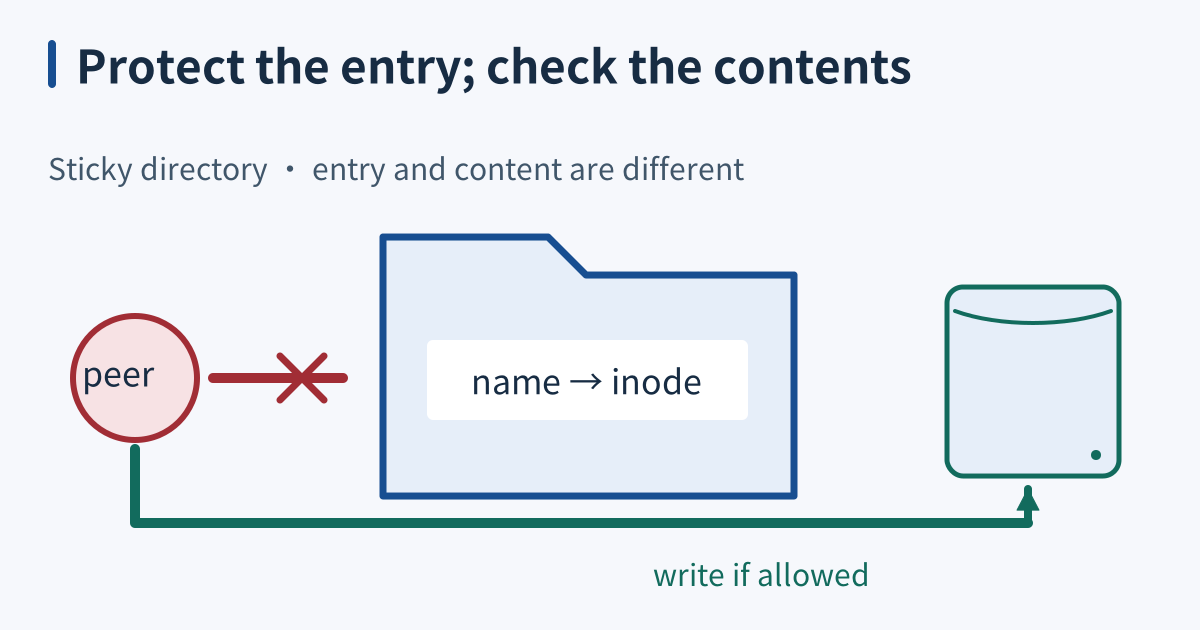
The sticky bit restricts removal in a shared directory
The sticky bit on a Linux directory adds an ownership restriction to removing or renaming entries. It is commonly combined with broad directory write and search permissions so several users can create temporary files without freely removing one another’s entries. The directory permission check and the sticky ownership check both matter; sticky is an additional condition, not a replacement for normal access control.
...
Cron repeats on the calendar
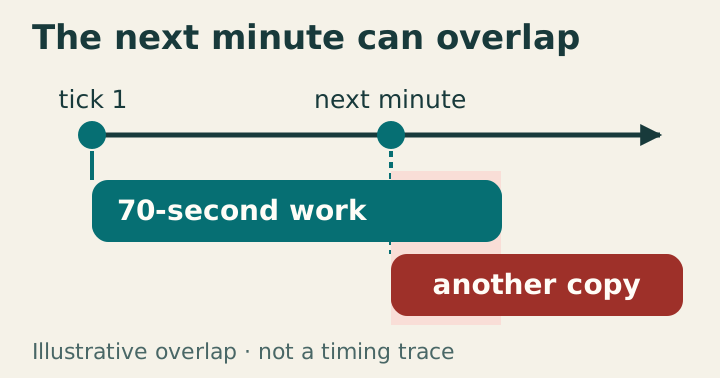
Cron launches commands at matching calendar times without inherently waiting for earlier invocations. Seventy-second work scheduled every minute can therefore overlap. Treat triggering, concurrency, and successful completion as separate responsibilities.
The illustrative lanes show the next calendar trigger arriving before a seventy-second invocation ends. A shared nonblocking lock makes the later invocation record a skip; it does not provide exactly-once effects. The source’s prior measurements were not rerun. Read fields as calendar selections A user crontab entry contains minute, hour, day of month, month, day of week, then command. Asterisks select all field values. A minute step such as */15 selects values within each hour, not fifteen minutes since completion. Steps that unevenly divide a field’s range can produce unequal boundary gaps.
...
Redirection reorders the streams
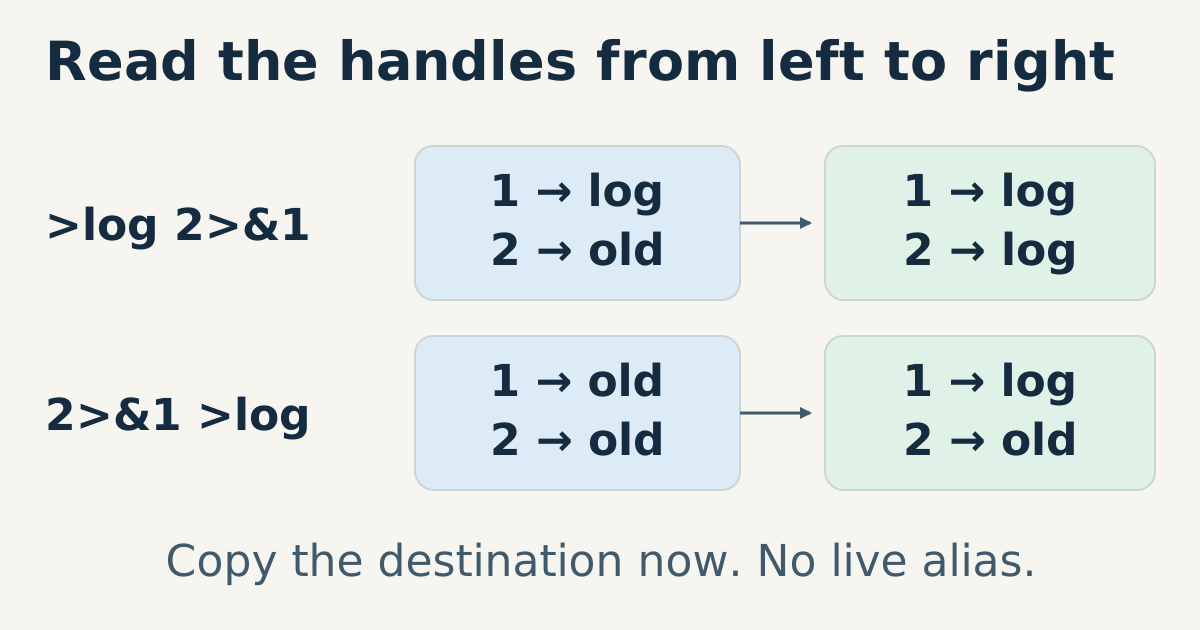
Redirection changes a command’s file descriptors before the command executes. The shell processes redirections from left to right, opening or duplicating a descriptor as it reaches each operation. Descriptors 0, 1, and 2 conventionally represent standard input, standard output, and standard error. Reading this sequence as concrete changes to those handles explains both misplaced diagnostics and files that become empty before their contents can be read.
...
Shell pipes stream between processes
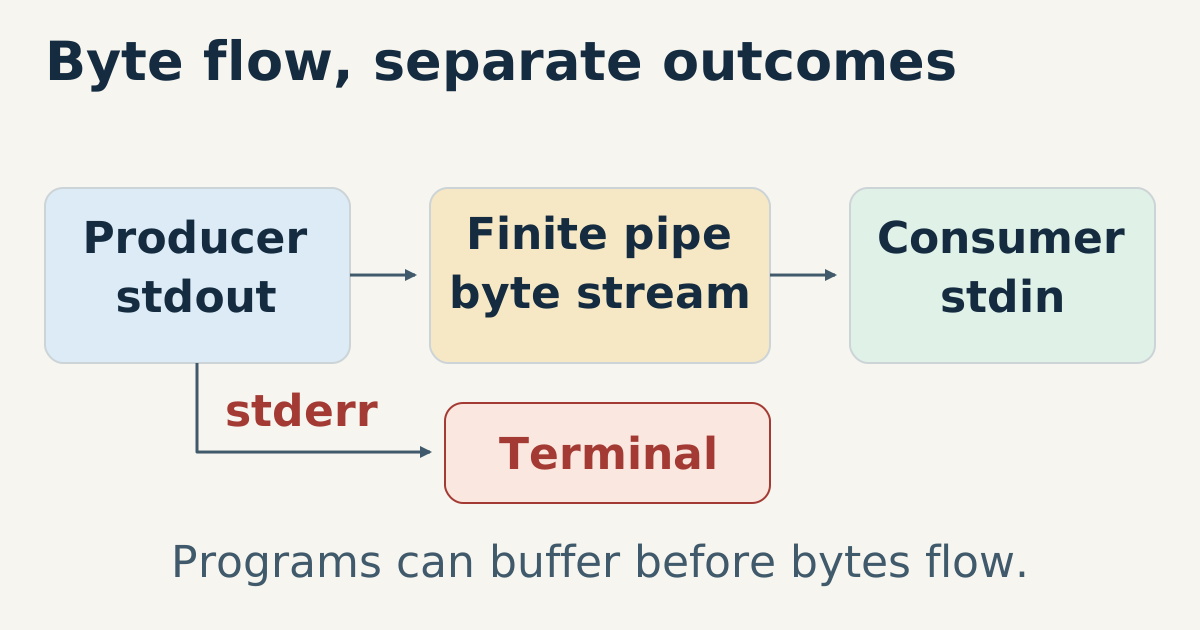
A shell pipeline connects one command’s standard output to the next command’s standard input. The commands can run concurrently, so the producer need not finish before the consumer starts. This supports incremental processing, but the pipe itself does not guarantee that either program processes data incrementally. Buffering, early termination, and the status of each stage determine whether the complete operation does what you intended.
...
Job control moves terminal foreground ownership between groups
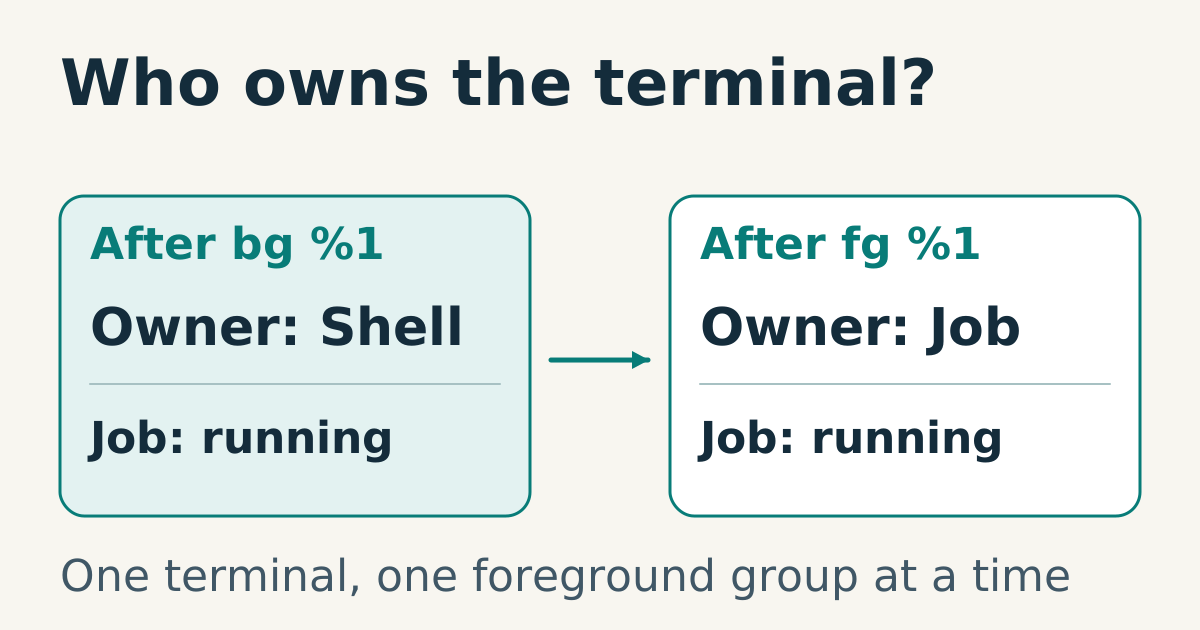
Interactive job control lets a shell manage process groups that share a controlling terminal. The terminal has one foreground process group at a time, while other jobs can run or remain stopped in the background. Foreground ownership, running state, and the shell’s job table are distinct. A background job is not automatically suspended, and a stopped job has not necessarily terminated.
...
Create temporary files atomically in a trusted location
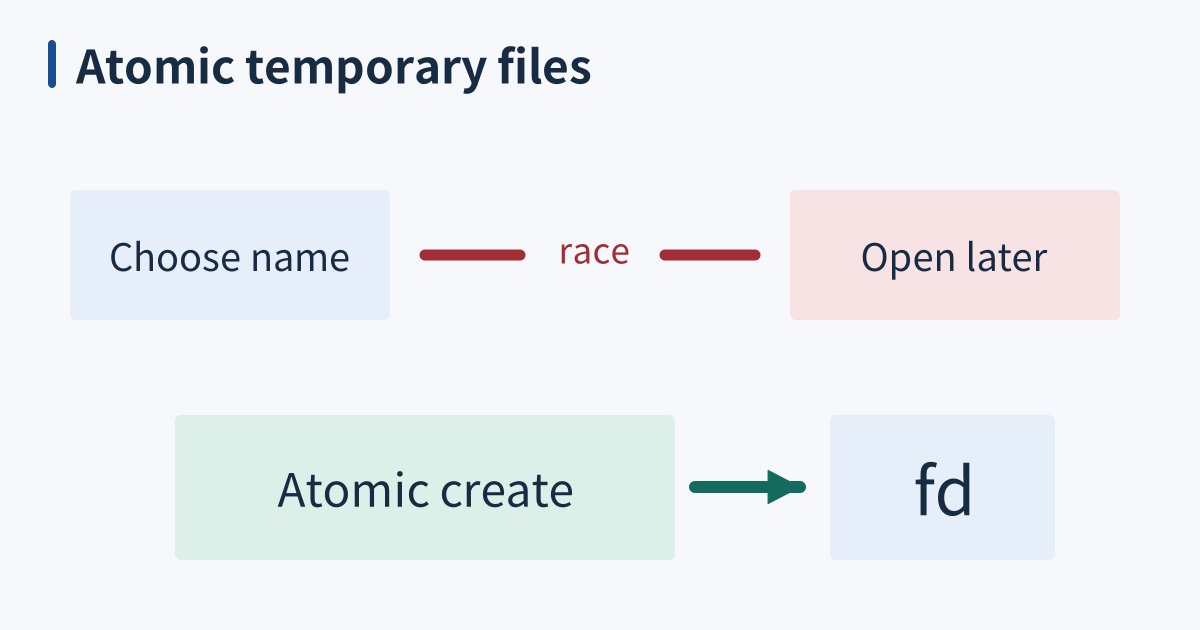
A shared temporary directory is a namespace other users may also write to, not a guarantee that every file inside is public. File permissions still control content access. The dangerous assumption is that choosing a pathname gives your process ownership of whatever already occupies it. Create a new object atomically and keep using the returned handle instead of trusting a predictable name.
...
Environment variables are a per-process thing
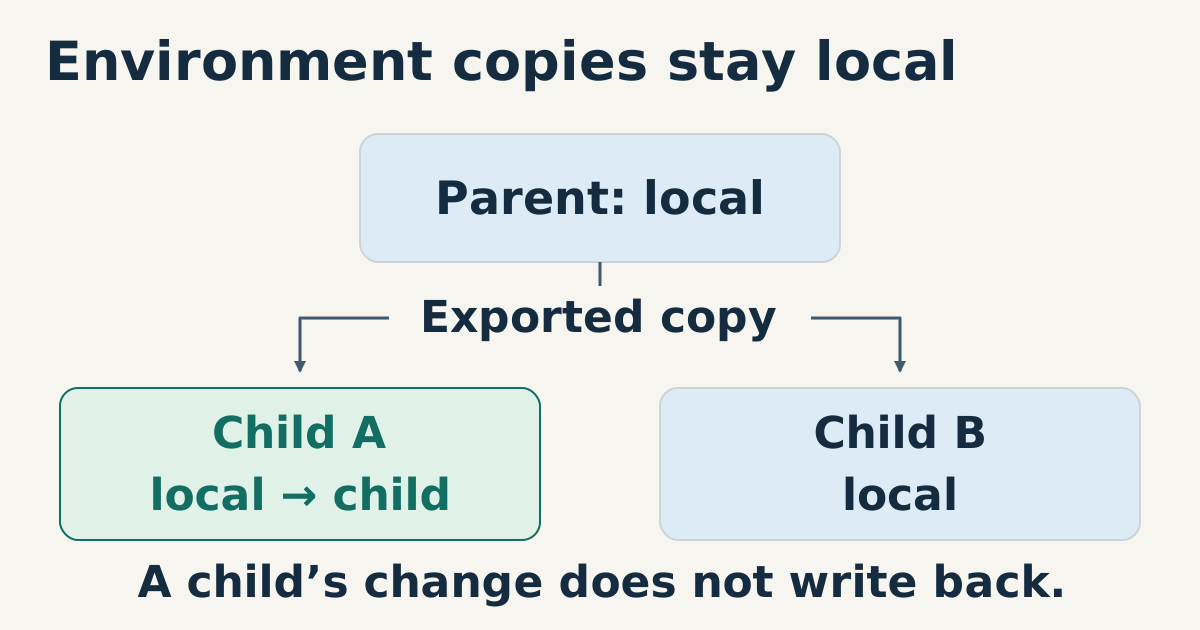
An environment is a collection of name-value strings supplied to a program when it starts. A child normally receives the environment selected by its parent; changing that child’s copy does not rewrite the parent’s or a sibling’s copy. This is a useful configuration boundary, but it is not a promise that the command has no side effects. The program can still modify shared files, databases, or other resources using those settings.
...
Process groups select signal recipients, not a family tree
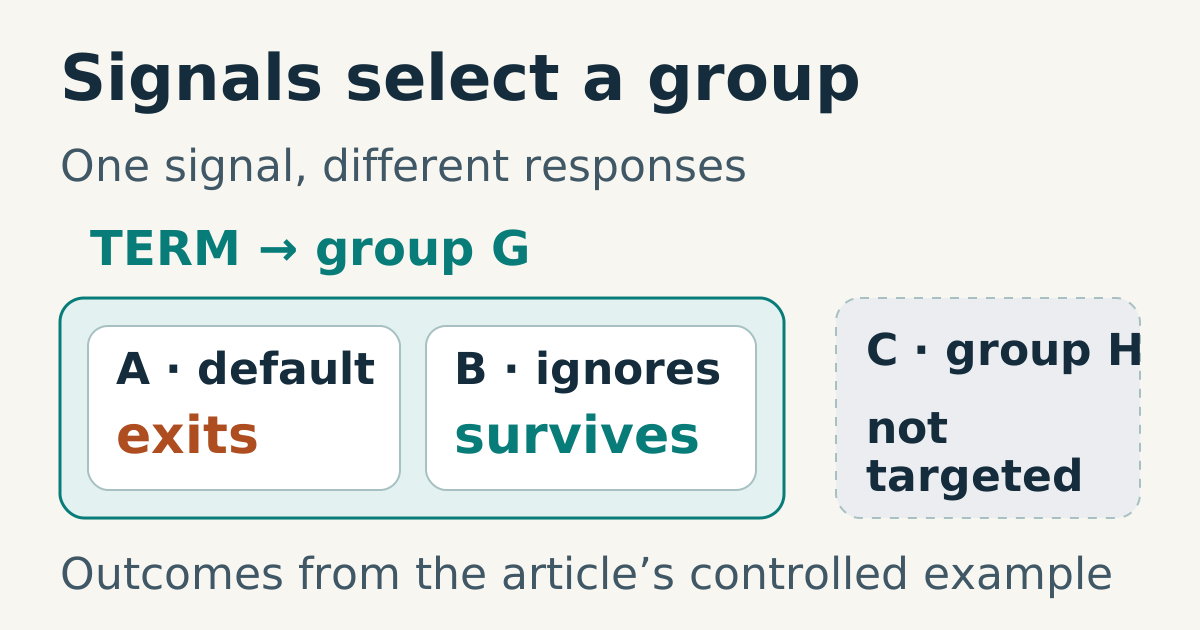
A process group is a kernel-maintained set of processes identified by a process group ID, or PGID. It provides a target for operations such as delivering a signal to a job. Parent-child relationships and group membership are separate: related processes can occupy different groups, and a group’s leader does not need to remain alive for other members to continue belonging to it.
...