Declarative infrastructure describes a desired result and lets a tool calculate changes. An imperative script can also inspect existing resources and behave idempotently; duplication is not inherent to scripting. Terraform’s advantage is a shared model of configuration, resource identities, dependencies, and proposed actions that reviewers can inspect together.
Review configuration and proposed operations together: changing an address can alter identity, while unchanged files can still produce a plan after external changes.
Plan is a proposal, not a transaction
A normal plan reads managed objects through providers and compares the refreshed view with configuration. It proposes creation, updates, replacement, or deletion. Unknown values, provider behavior, permissions, and changes between planning and applying mean it cannot guarantee success or describe every eventual API call.
Saving a plan lets you apply the reviewed proposal instead of automatically calculating another. It does not freeze the remote system. A stale state can invalidate the saved plan, and an apply can fail partway through. Protect saved plans and state as sensitive artifacts rather than posting their complete contents in public logs.
After a successful apply, an unchanged, stable configuration should normally produce no further changes. Persistent differences deserve investigation: external controllers, computed attributes, provider bugs, and changing inputs can defeat that expectation. A clean plan is evidence about managed observations, not a complete inventory of the account.
State preserves identity
State binds configuration addresses to remote objects and retains other information Terraform needs. Losing that mapping does not immediately delete the objects. A later plan may propose new resources; whether applying creates duplicates or encounters name conflicts depends on the provider and service.
First investigate backend versions and recoverable snapshots. When restoration is inappropriate or unavailable, import can associate supported existing objects with configuration addresses. Both the CLI workflow and configuration-driven import exist; this is not necessarily a sequence of manual commands. Reconcile the resource configuration and review the resulting plan before making changes.
Shared state needs access control, recoverable history, and a backend with appropriate locking support. Not every backend locks. A lock acquisition failure stops the operation; waiting depends on command options such as the lock timeout. Avoid disabling locking to work around another legitimate run, and never interpret state version history alone as a complete infrastructure audit trail.
Drift and refactoring are different decisions
For an already tracked resource changed outside Terraform, decide whether to keep the new value or restore the configured one. Keeping it generally means updating configuration; ordinary attribute drift does not require import. A refresh-only apply updates Terraform’s records without reconciling remote objects to configuration. It does not edit configuration, so a later normal plan can still propose reversal.
Ignored attributes and provider schemas affect which differences produce actions. The console change may have its own audit logs; the operational failure is often that nobody linked the emergency action to the next deployment.
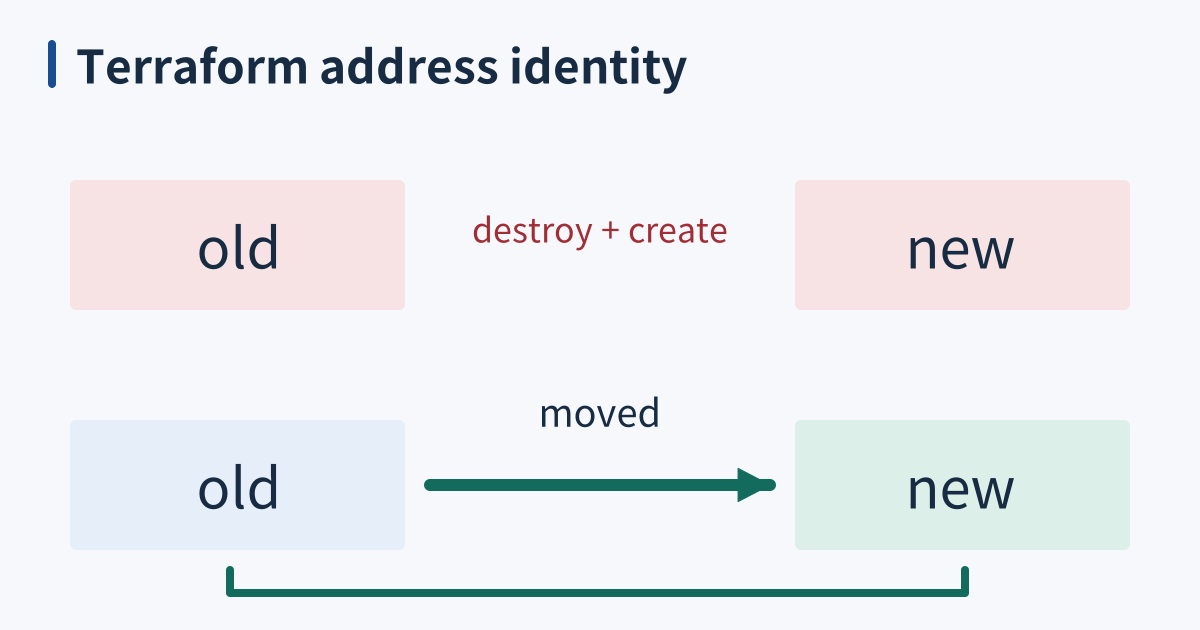
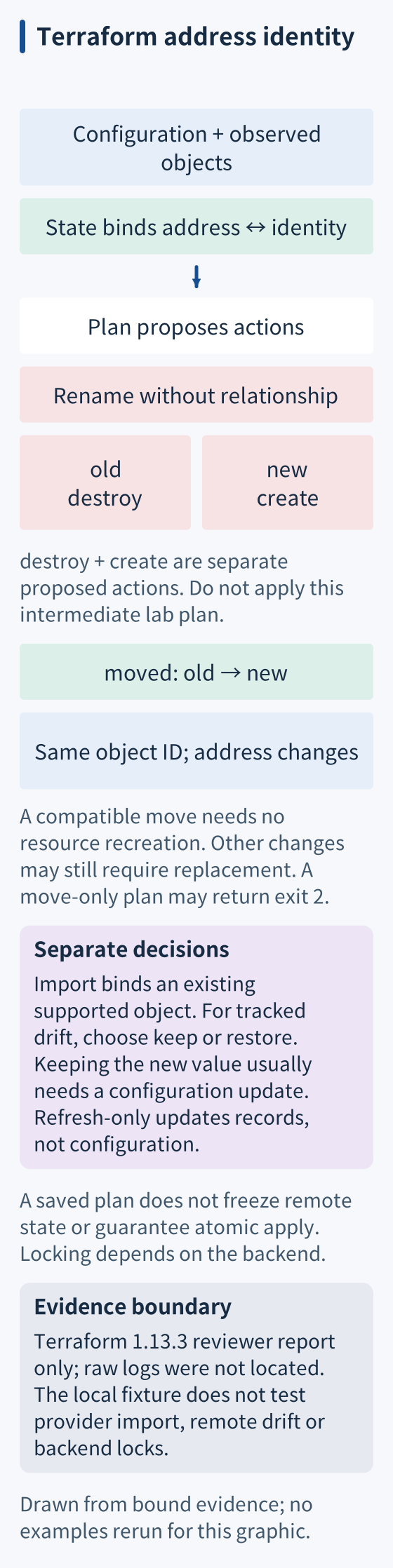
Renaming an address without recording the relationship can produce a destroy/create proposal. A moved block documents that relationship, including supported moves into modules, so a compatible refactor need not recreate the object. Other configuration changes can still require replacement. Removing a resource block generally proposes destruction unless you explicitly use an appropriate removal workflow.
When it breaks
During an incident, somebody enlarges an instance and forgets to update configuration. An unrelated apply later proposes to shrink it. Require review of the relevant actions and record the intended lasting value. Exit code 2 means a nonempty plan, not specifically drift, danger, or failure.
For an unexpected destroy, compare old and new addresses before approving anything. For apparently missing resources, verify the selected backend and workspace before assuming state was lost. Stop concurrent writers during recovery; a plausible-looking empty state is not permission to recreate the estate.
Check it quickly
With Terraform 1.4 or newer, use a fresh lab and reviewed CLI settings; inherited TF_CLI_ARGS, workspace and configuration can alter behavior. Run each command separately and stop on error: this shell block has no fail-fast guard. Its built-in terraform_data changes local state, not cloud infrastructure.
lab=$(mktemp -d)
cd "$lab" || exit 1
cat > main.tf <<'HCL'
resource "terraform_data" "old" { input = "kept" }
HCL
terraform init -input=false
terraform validate
terraform apply -input=false -auto-approve
terraform state show terraform_data.old
cat > main.tf <<'HCL'
resource "terraform_data" "new" { input = "kept" }
HCL
terraform plan
cat >> main.tf <<'HCL'
moved {
  from = terraform_data.old
  to   = terraform_data.new
}
HCL
terraform validate
terraform plan -out=moved.tfplan
terraform apply -input=false moved.tfplan
terraform state show terraform_data.new
terraform plan -detailed-exitcode
The retained Terraform 1.13.3 review reports the unrecorded rename as one creation and one deletion; do not apply that intermediate plan. With moved, it reports zero resource actions, the same ID, and final exit 0. This review did not rerun it. A move-only detailed plan can return 2 for an address change.
This fixture exercises local Terraform planning and address migration. It does not test cloud-provider import, remote drift, or backend locking. In general, detailed exit codes mean 0 for no changes, 1 for error, and 2 for changes present; inspect the actions rather than treating 2 as failure.
When finished, use cd - to leave the lab, then remove only the generated directory named by $lab; it contains disposable configuration, plans, and state.
Sources
- Terraform: state, address bindings and state requirements, checked 2026-10-15.
- Terraform: plan command, planning modes, saved plans, lock options, and exit codes, checked 2026-10-15.
- Terraform: remote state, shared storage and backend capabilities, checked 2026-10-15.
- Terraform: state locking, backend support and lock failures, checked 2026-10-15.
- Terraform: refactor modules, explicit moved mappings and compatible refactors, checked 2026-10-15.
- Terraform: import overview, configuration-driven adoption of existing resources, checked 2026-10-15.
- Terraform: CLI import, the alternative CLI import workflow, checked 2026-10-15.
- Terraform: manage resource drift, refreshed observations and configuration reconciliation, checked 2026-10-15.
- Terraform: lifecycle, ignored attributes and removal consequences, checked 2026-10-15.
- Terraform: terraform_data, the built-in local lifecycle resource used by the exercise, checked 2026-10-15.
- Terraform: apply command, applying saved plans and partial failures, checked 2026-10-15.
- Terraform CLI environment variables, inherited CLI arguments, workspace and configuration, checked 2026-10-18.