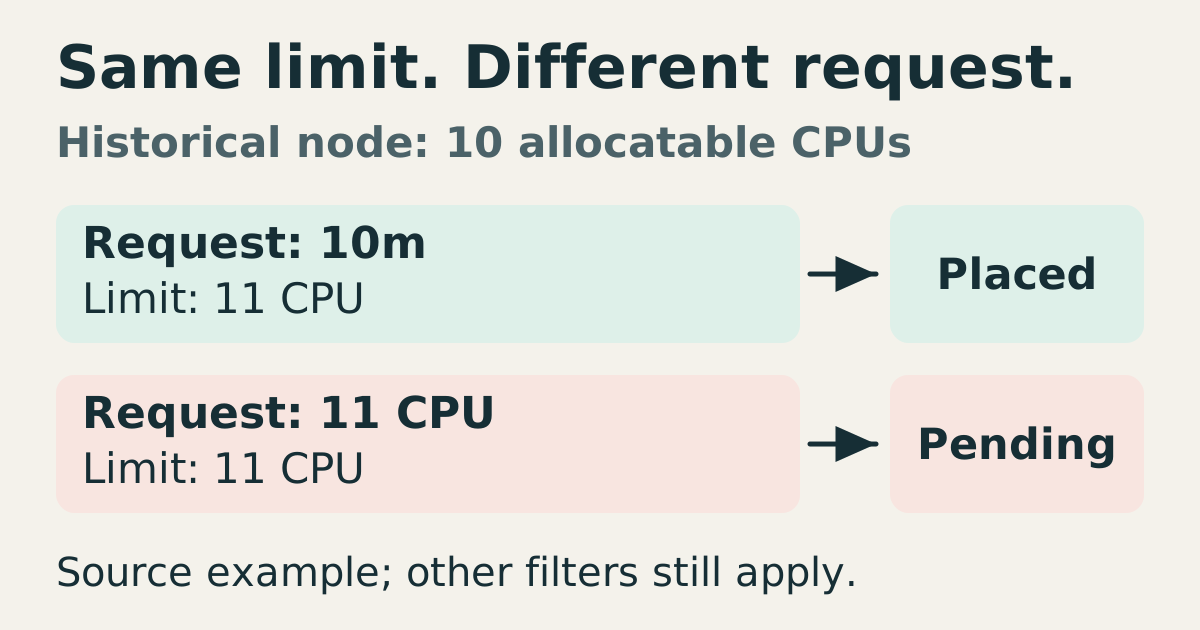
Historical article example: a node reports 10 allocatable CPUs. A Pod requesting 10m with limit 11 CPU was placed; one requesting 11 CPU with the same limit remained Pending. Other constraints still apply.

The scheduler accounts for requests, not momentary utilization

Kubernetes scheduling answers whether a Pod can fit a node under the applicable resource requests and placement constraints. It does not simply look at a current CPU utilization chart and place work wherever the line is low. Requests provide accounting inputs for future demand; actual usage is a separate observation. Diagnose both before deciding that an idle-looking cluster has capacity for a particular Pod. ...
April 2, 2028 · 6 min · XB Field Notes
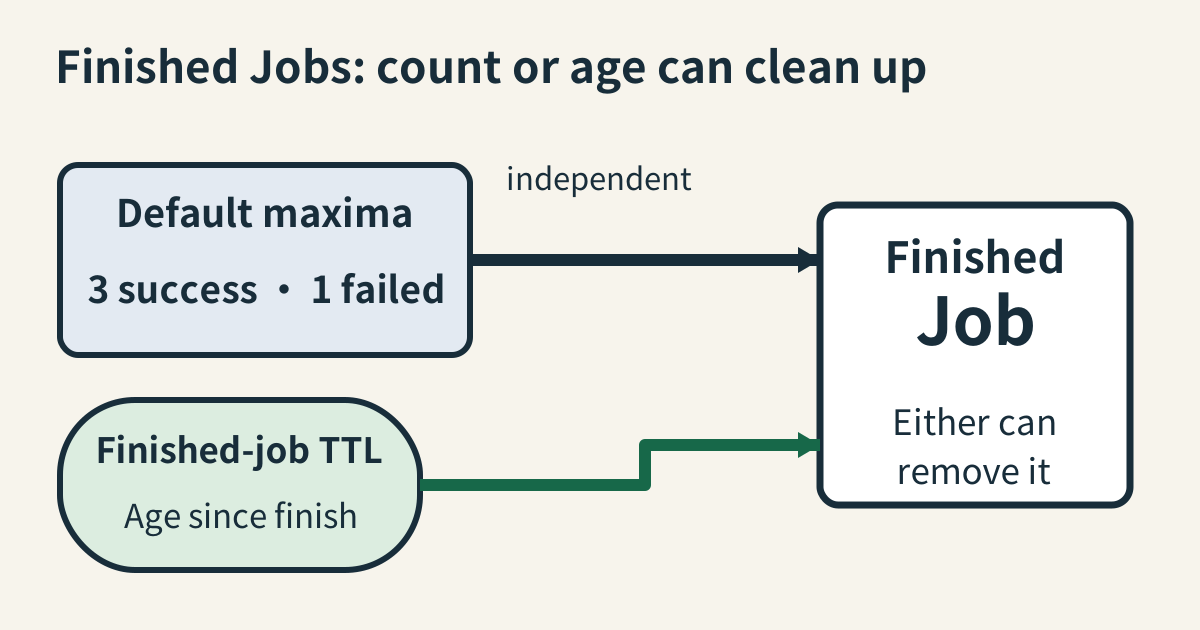
Default CronJob history keeps up to three successful Jobs and one failed Job; Job TTL is an independent age control. Either mechanism can remove a finished Job.

Kubernetes CronJobs need a history policy

A CronJob creates Jobs on a schedule, and each Job manages the Pods that perform the work. Finished objects can preserve useful status, but retention is bounded by several independent mechanisms. In particular, CronJobs already have default history limits. Omitting explicit history settings does not make ordinary completed runs accumulate forever. ...

February 25, 2028 · 5 min · XB Field Notes
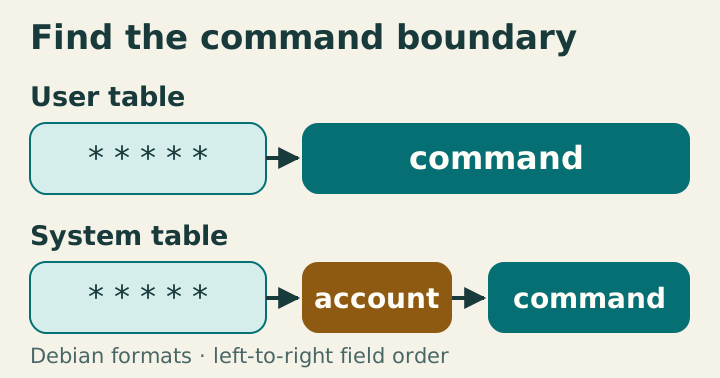
The user-table command follows five calendar fields; the system-table command follows an additional account field.

Cron system and user tables have different contracts

User crontabs belong to one account; system tables can name an account per entry. Copying lines between formats without adjusting fields changes the command boundary. Identify the format before debugging the calendar expression. In Debian user tables the command starts after five fields; system tables insert a username before it. Unescaped percent signs are handled before shell quoting and split off standard input. The figure is schematic; privileged examples were not executed. The account column changes the parser boundary User entries contain minute, hour, day of month, month, day of week, then command text; crontab installs them for the selected user. Debian’s /etc/crontab and /etc/cron.d files insert a username after those five fields. It is not an optional command annotation. ...

January 12, 2028 · 8 min · XB Field Notes